

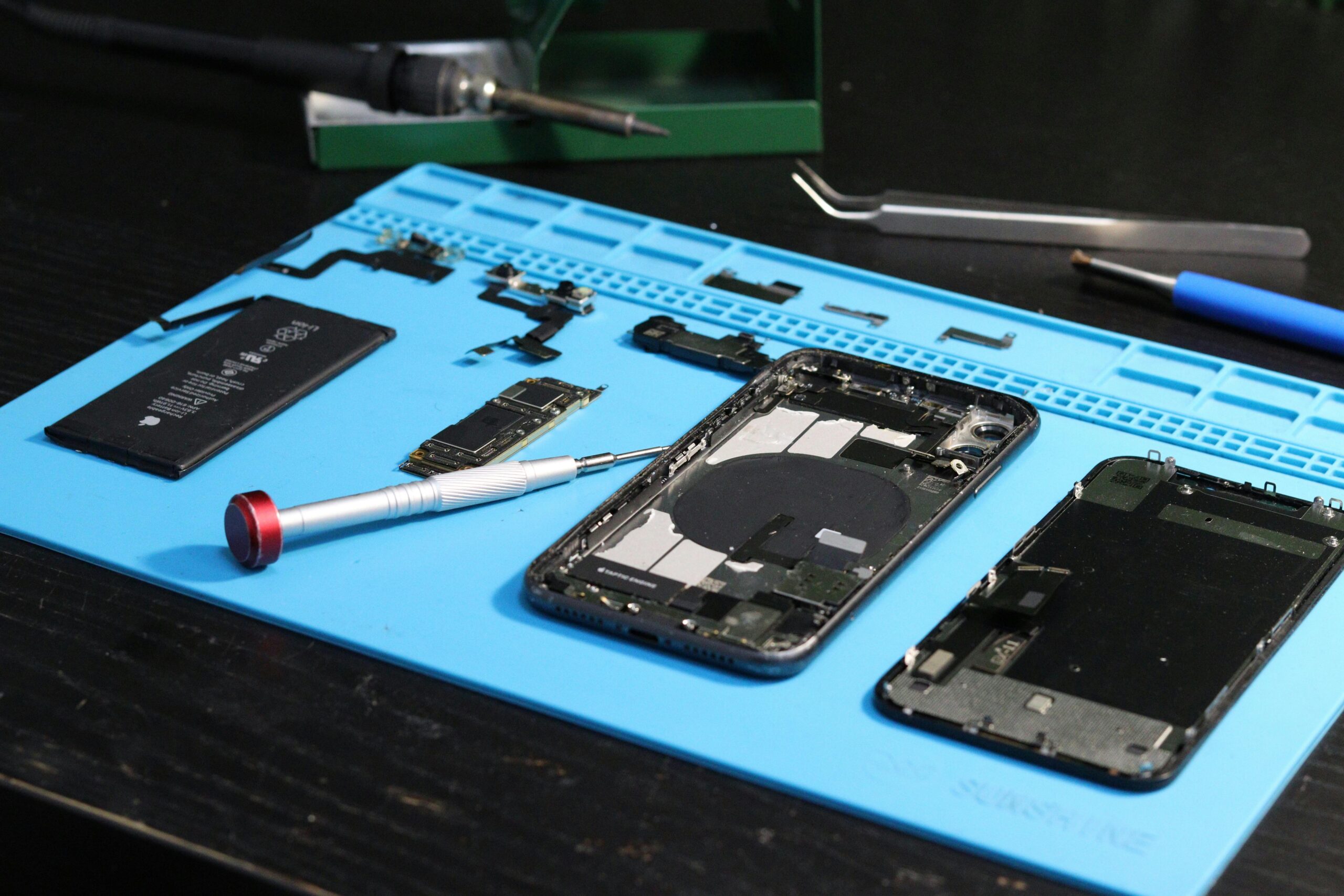
Smartphones are part of daily life. We use them to work, shop, learn, and stay connected. So when something goes wrong, it feels urgent and stressful. Over the years, phone repair technicians have seen the same problems again and again. While phone models change, the most common repairs stay surprisingly consistent.
This in-depth guide breaks down the top 5 most common phone repairs, why they happen, how to spot early warning signs, and what your repair options really are. It’s written from hands-on experience, not theory—clear, honest, and easy to understand.
Whether you’re deciding if a repair is worth it or just want to avoid future damage, this article is built to answer real user questions with clarity and trust.
Why Understanding Common Phone Repairs Matters
Before jumping into the list, it helps to understand why these repairs are so common.
Modern smartphones are:
- Thin and lightweight
- Packed with delicate components
- Used constantly, often without protection
Daily drops, moisture exposure, charging habits, and normal wear slowly take their toll. Knowing the most frequent issues helps you:
- Act fast before damage gets worse
- Decide between repair or replacement
- Avoid costly mistakes
Now let’s break down the repairs technicians see most often.
1. Cracked or Broken Screen Repair
Why Screen Damage Is So Common
A cracked screen is the number one phone repair worldwide. Even phones marketed as “drop-resistant” are still made of glass. One bad fall onto concrete or tile is often enough to cause damage.
Most screen breaks happen because of:
- Dropping the phone while walking or texting
- Slipping from pockets or hands
- Sitting on the phone accidentally
- Falling from tables, beds, or car dashboards
Signs You Need a Screen Repair
Some damage is obvious, but not all screen issues are visible right away.
Common signs include:
- Cracks or shattered glass
- Flickering or black spots
- Touch not responding in certain areas
- Display not turning on, but phone still vibrates
Ignoring these signs can make the problem worse. Small cracks spread over time, and exposed glass can damage internal parts.
Repair Options Explained
There are usually three repair paths:
- Glass-only repair – cheaper, but only possible on certain models
- Full screen replacement – most common and reliable fix
- DIY repair kits – risky without experience
Professional screen replacement restores:
- Touch sensitivity
- Display brightness
- Visual clarity
Is Screen Repair Worth It?
In most cases, yes—especially if:
- The phone is less than 3 years old
- Everything else works fine
- Repair costs less than half the phone’s value
A repaired screen can make a phone feel brand new again.
2. Battery Replacement and Power Issues
Why Phone Batteries Fail
Lithium-ion batteries wear out over time. This isn’t a defect—it’s chemistry. Most phone batteries are designed to last 300–500 full charge cycles.
Battery health drops faster due to:
- Constant fast charging
- Letting battery drain to 0% often
- Overheating during charging or gaming
- Using non-certified chargers
Common Battery Warning Signs
Battery problems don’t appear overnight. Look out for:
- Phone dying at 20–30%
- Rapid battery drain
- Phone overheating
- Swollen battery causing screen lift
- Random shutdowns
A swollen battery is a safety risk and should be replaced immediately.
Battery Replacement vs New Phone
Many users replace phones just because the battery feels weak. In reality, battery replacement is one of the most cost-effective repairs.
A new battery can:
- Restore full-day usage
- Improve performance
- Stop unexpected shutdowns
Professional vs DIY Battery Replacement
Modern phones often have sealed designs. DIY battery replacement can:
- Damage cables or connectors
- Void warranties
- Puncture the battery
Professional replacement ensures:
- Proper installation
- Safe disposal
- Performance testing
3. Charging Port Repair
Why Charging Ports Fail So Often
Charging ports are used multiple times a day. Over time, this constant use causes wear and buildup.
The most common causes include:
- Dust and lint buildup
- Bent charging pins
- Moisture exposure
- Using damaged or loose cables
Many people assume the battery is dead when the real issue is the charging port.
Symptoms of a Faulty Charging Port
Watch for these signs:
- Phone only charges at certain angles
- Charging cable feels loose
- Phone doesn’t recognize chargers
- Slow or inconsistent charging
Sometimes the phone charges wirelessly but not with a cable—this is a clear sign of port trouble.
Cleaning vs Repair
Not all charging issues need part replacement.
Technicians usually check:
- Lint and debris removal
- Cable and adapter testing
- Port stability
If internal pins are damaged, a port replacement is required.
Why You Shouldn’t Ignore Charging Issues
A failing port can:
- Stress the battery
- Cause overheating
- Lead to complete power failure
Fixing it early saves money and prevents deeper damage.
4. Water Damage Repair
The Truth About “Water-Resistant” Phones
Many phones are advertised as water-resistant, not waterproof. Resistance fades over time due to:
- Drops and impacts
- Wear on seals
- Temperature changes
Even a short splash can cause internal corrosion.
Common Water Exposure Scenarios
Water damage doesn’t always involve dropping a phone in a pool. It often happens from:
- Rain exposure
- Spilled drinks
- Bathroom steam
- Sweat during workouts
- Accidental washing machine cycles
Warning Signs of Water Damage
Some signs appear quickly, others take days:
- Screen flickering
- No sound from speakers
- Camera fogging
- Phone not turning on
- Random app crashes
Why Rice Is Not a Reliable Fix
Putting a phone in rice is a myth. Rice:
- Does not remove internal moisture
- Cannot stop corrosion
- Wastes valuable repair time
Professional Water Damage Repair Process
A proper repair includes:
- Full device disassembly
- Ultrasonic cleaning
- Corrosion treatment
- Component testing
The faster you act, the better the chance of saving the phone.
5. Speaker and Microphone Repair
Why Audio Problems Are Common
Speakers and microphones have small openings that easily collect:
- Dust
- Pocket lint
- Makeup particles
- Moisture
Over time, sound quality drops.
Signs of Speaker or Mic Failure
You may notice:
- Muffled or distorted sound
- No sound during calls
- Voice messages not recording
- People can’t hear you clearly
Sometimes users think it’s a software issue, but hardware damage is often the cause.
Cleaning vs Component Replacement
Minor audio issues may be solved by:
- Professional cleaning
- Software checks
However, long-term issues usually require speaker or microphone replacement.
Why Audio Repairs Matter
Poor audio affects:
- Call quality
- Voice notes
- Video recording
- Accessibility features
Fixing audio issues restores full phone functionality.
Other Phone Repairs Worth Mentioning
While the top five cover most cases, technicians also frequently see:
- Camera lens replacement
- Power button repair
- Volume button repair
- Back glass replacement
- Software recovery after failed updates
These repairs are less common but still important.
How to Decide: Repair or Replace?
Before replacing your phone, ask these questions:
- Is the repair cost reasonable?
- Is the phone still fast enough for daily use?
- Are software updates still supported?
- Is the damage limited to one component?
In many cases, a simple repair adds 1–2 years of life to a device.
Tips to Avoid Common Phone Repairs
Prevention is always cheaper than repair.
Simple Habits That Make a Big Difference
- Use a shock-absorbing case
- Install a quality screen protector
- Avoid cheap charging cables
- Keep phones away from moisture
- Clean charging ports gently every few months
These habits reduce repair risks significantly.
Choosing a Trustworthy Phone Repair Service
Not all repair services are equal. Look for:
- Clear pricing upfront
- Warranty on repairs
- Experienced technicians
- Positive customer reviews
- Quality replacement parts
Avoid services that:
- Refuse to explain the repair
- Push unnecessary replacements
- Offer prices that seem unrealistically low
Final Thoughts: Knowledge Saves Money
Understanding the top 5 most common phone repairs puts you in control. You can spot problems early, make smarter decisions, and avoid overpaying for replacements you don’t need.
Most phone issues are fixable. A cracked screen, weak battery, or charging problem doesn’t mean your phone is done—it often means it just needs professional care.
If you treat your phone well and act quickly when issues appear, it can serve you reliably for years.
Quick Summary
- Cracked screens are the most frequent repair
- Battery replacements restore performance affordably
- Charging port issues are often misdiagnosed
- Water damage requires fast professional attention
- Audio repairs improve call and media quality