

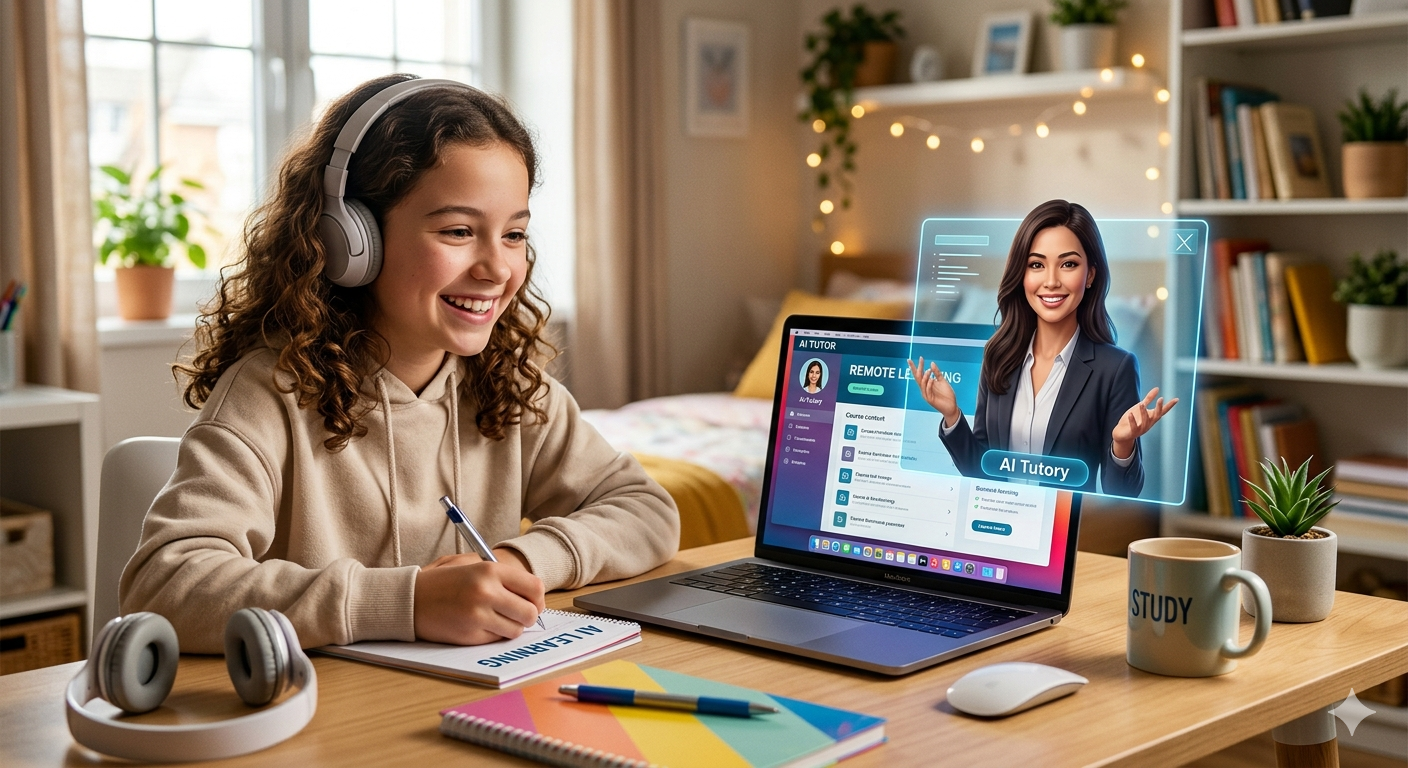
This comprehensive and field-tested guide for educators, instructional designers, and anyone trying to make Remote learning less like watching paint dry. Furthermore, remote learning has its own problems. Not a technology issue or bandwidth bottleneck — a presence issue: that sense that someone knowledgeable is really with us, adjusting in real time based on our needs — that sense can get lost online learning, even with screen sharing or breakout rooms in place.
AI avatars have quietly emerged as one of the more captivating solutions to that void, not because they replace human instructors (they do not), but by giving remote content a face, voice, and a sense of directed attention that slides and text-heavy modules cannot offer. By mid-2026, the category had evolved dramatically. The initial novelty phase is over, and what remains are good tools with real use cases and some duds – this guide highlights the best of the best with honest assessments of where each one is worth its price tag and where it is not.
What AI Avatars Really Do in a Learning Context
With AI avatar platforms, you can create a video of a human-looking presenter saying whatever you want to say – without having actually to film yourself on camera. Paste in a script (or paste an existing one), select an avatar from an online library or build one from scratch, and the platform creates a video of them delivering your lines with synced lips, natural gestures, and an authentic vocal track.
Now the best platforms go a step further: real-time conversant avatars can respond to student questions in real time, adjust the pace based on comprehension signals, and stay continuous throughout a tutoring session.
Education has wide-ranging applications:
- Asynchronous lecture delivery — especially helpful for instructors who tire of being on camera or who need to deliver the same lecture to multiple cohorts.
Multilingual Course Translation – one script translated into more than 40 different languages, with avatar lips synchronized with each language; Interactive Tutoring – avatar tutors that respond to student questions in real time and assist struggling learners with targeted remediation - Learning with Historical & Character Approach — one way of exploring historical figures and events in a personalized narrative style is by bringing historical figures into first-person narratives by animating photographs or creating character avatars.
- Accessibility Support – consistent pacing, clear enunciation, and automatic captions to support learners with hearing or processing differences
Services Worth Considering in 2026
Synthesia Continues to Set the Benchmark in Institutional-Scale Computing Solutions. Synthesia has been at the forefront for some years now, due to the platform updates in 2025-2026. The March launch of Synthesia Studio 3.0 introduced a real-time avatar interaction feature, currently being tested at several European universities for onboarding processes.
The core product is still one of the highest-grade offerings on the market, with over 240 unique avatars, lip-sync quality that holds up under scrutiny, and support for over 140 languages, with voices that do not sound like a GPS reading a textbook. An eye tracking algorithm that can accurately sync location.
One of the key selling points for institutional users is Synthesia’s team workflow infrastructure. Multiple instructors can work on courses simultaneously, but with consistency of brand across avatars and templates, exporting directly into Canvas, Blackboard, or Moodle without reformatting, and creating comprehensive compliance documentation – an indispensable asset when working with FERPA, GDPR, and other stringent student data regulations.
- How much does it cost for real value? Most educators will get what they need from the Creator plan ($89/month as of Q1 2026), although we will need to have further conversations about personalized avatars built from your likeness and access to our API for bulk generation; pricing negotiations rather than public rate cards may apply at that tier.
- The Honest Detriment Synthesia’s pricing structure caters to high-volume, frequent users. If you are an individual instructor producing one course per semester, the value-to-cost ratio is not in your favor. Also, real-time interaction features are still limited and are not yet available to most users.
- Ideal Candidates: University departments, Learning & Development teams building multi-course libraries, institutions needing documented compliance measures, and team-based production workflows are ideal candidates.
HeyGen – Now With Actual Teeth
HeyGen has done what few tools in its space have: grown from a scrappy challenger to a sophisticated platform while preserving all the quality-of-life features that made individual creators love it in the first place.
HeyGen’s standout feature is still video translation with lip reanimation: Record an English lesson, and HeyGen will rebuild it into Spanish, French, Japanese, or Portuguese, with your mouth movements synchronized to match the audio translation. As of early 2026, pilot programs consistently reported that students rated translated versions as natural without realizing they had been translated – an impressive threshold!
Another highlight is HeyGen’s custom avatar pipeline. Just download their mobile app, record yourself for three minutes or so – no studio required, though good lighting is a plus – and you have a digital version of yourself within hours, with all your facial features, expressions and delivery style perfectly preserved – something most platforms do not take into account; learners build trusting relationships with instructors over time and having your avatar deliver courses keeps that relationship intact unlike stock presenters who are not able to achieve that effect.
HeyGen’s Interactive Avatar graduated from beta testing in early 2026 and is now available as part of paid plans. Students can ask their avatar questions in text or voice, and it answers conversationally based on a knowledge base that you configure – not meant to be a substitute for real tutors, but for FAQs, concept clarification, and guided problem solving, it can be really impressive! In fact, some of the independent tutoring platforms have already incorporated it as the first line of response before escalating to human tutors.
Comments
The quality of custom avatars can vary widely. Poor-quality training videos, such as shaky footage, harsh lighting, or cluttered backgrounds, result in degraded avatars that require professional recording services to compensate. HeyGen does offer professional recording services, but the costs start to approach Synthesia Enterprise tier pricing. Also, SCORM output – required by most LMSs – does not come natively; to achieve compliance, you may need either an authoring platform with wrapper tools or another authoring platform.
The ideal candidates include independent course creators, tutoring services, educators looking to create their own digital likenesses, and small to mid-size EdTech products.
Elai.io – The Instructional Designer’s Trusted Solution
Elai is the niche that most mainstream platforms are missing. It is for educators who do not want to become video producers but need a quick, efficient way to turn existing materials into watchable content.
Elai finds the auto-draft pipeline very useful. Paste in a URL, upload a PDF, or connect a PowerPoint, and Elai will create a structured video script from existing content – avatar assigned, slides timed, and voice track written out all automatically! You will have to do some editing afterwards, but at least you have an immediate working draft instead of starting from scratch, which can be liberating for teachers who have been putting off converting their 12-week slide decks to video formats!
I think the native SCORM and xAPI packaging is often ignored in reviews. This feature lets you upload videos created with Elai directly into any LMS that accepts packaged content – no format gymnastics or third-party wrappers required – with completion tracking, time-on-task data, and quiz results automatically flowing back into your LMS.
Elai’s branching paths feature makes it a perfect tool for educators who are serious about adaptive learning. For example, if a video prompts an incorrect answer, its check-for-understanding can automatically direct students who do not answer correctly to different segments of content, such as remedial explanations, worked examples, or slower-paced versions of similar concepts. Typically, this type of adaptive logic requires custom LMS builds or authoring tools – but Elai provides this for non-technical educators on a small budget.
The Honest Drawback
Elai does not quite match Synthesia and HeyGen in terms of avatar expressiveness and realism, which could be noticeable in content where an avatar is a key component, such as instructor-led learning or rapport-heavy onboarding experiences. Elai might be more suited to this kind of content, as their avatar is more of a vehicle than the emotional center of experience.
Ideal Target Audience Instructional designers, LMS administrators, educators looking to convert existing slide libraries to video, and anyone needing SCORM-compliant output without an additional authoring tool.
D-ID — History in the Classroom
D-ID is head and shoulders above the rest and deserves more attention in educational circles than it usually gets. However, with the platform’s core technology—animating still photographs to speak scripted dialogue—comes an unparalleled learning experience: bringing historical and literary figures back to life.
The portrait of Harriet Tubman tells the story of her life. The photo of Alan Turing shows him explaining the Halting Problem directly. A period-accurate medieval merchant image of trade routes along the Silk Road has enormous pedagogical potential that is currently underutilised.
Late 2025 saw D-ID’s Creative Reality Studio add a “Character Knowledge” layer, letting educators define what each character knows and speaks, including accent, vocabulary register, and historical context, so student questions do not lead to out-of-character responses. E.g., a student asking “Abraham Lincoln” about his feelings on the Civil War would receive contextual answers rather than generic AI replies.
Pricing is credit-based, not subscription-based, making it perfect for educators who create content intermittently rather than continuously. Buy credits when you produce videos and spend them when you produce new ones – without having to pay when you do not produce any content!
The Downside D-ID works best for short-form content: explainers, introductions, and historical interviews under five minutes. Extended lecture delivery exposes its limitations more quickly than purpose-built avatars, and the technology is more sensitive to image quality: a low-resolution source photo can cause its animation quality to degrade considerably.
For humanities teachers, high school history and literature classes, or any setting where the real educational value of authentic voices from history or literature can be brought to bear.
Colossyan – Impressive & Accessibility First
Colossyan started as a compliance training provider but quickly expanded into formal education, especially for institutions with stringent accessibility regulations. It is unique in this comparison for its auto-generated closed captions, which are more accurate than others, and for allowing edits within its platform rather than requiring export to third-party tools. Transcript download, screen reader compatibility, and keyboard-navigable video players are baked in, not bolted on.
Avatar library age and demographic diversity reflect genuine editorial thought so that you can match an avatar’s apparent age, background, and professional register to your target audience’s expectations. Peer presenters for undergraduate students, while more authoritative speakers would work better with professional development content, which ultimately affects learner trust and engagement more than most platform comparisons acknowledge.
Colossyan 2025 update added in-video interactive elements such as embedded quizzes, clickable hotspots, and decision branches that can be configured without separate authoring tools. As well as native SCORM output and the ability to create lightweight LMS layers with avatar production tools.
The Downside: The interface is not as polished, and first-time users will have a slightly steeper learning curve than with HeyGen or Synthesia. Creating an avatar is more expensive than on comparable sites, which could be a barrier for teachers on tight budgets.
Ideal Candidates: Institutions with specific accessibility obligations, compliance training initiatives, and programs serving learners with cognitive or sensory differences.
Tavus: A Personalization Play
Tavus is a newer entrant to this list, and is perhaps the most dedicated to its core concept of delivering hyper-customised video at scale.
It makes it easy and effective to record yourself. Just record yourself once. Tavus then creates thousands of unique video versions with your name and each student’s name, their progress or course information, and personalized feedback or encouragement specifically for them.
Imagine a professor, before finals week, records one motivational message, and Tavus turns it into 400 personalized versions for each student enrolled – “Sarah, given how well you have been doing in Unit 3…” – and each one is rendered and delivered automatically – this has an enormously positive effect on student engagement and sense of being noticed.
Pilot programs at several community colleges in 2025 showed significant improvements in course completion rates for students who received individualized video check-ins compared to those who received only emails. The data are still sparse, but the trend is encouraging.
There are some obvious downsides to Tavus: it is more geared towards delivering personalization than creating content, so it does not directly replace Synthesia or HeyGen for creating course content; it just makes communication feel more personal. In addition, rendering pipeline latency can cause large batch personalization jobs to take several hours to process.
Ideal candidates Include Student success and retention programs, large lecture courses with limited individual outreach capabilities, and cohort onboarding workflows.
5 questions to ask yourself before you decide
- Will your students be watching on mobile? Most students do. Make sure the video output on the platform is responsive, and that the captions look good on a phone screen. That may seem irrelevant until you find out that half your students will be viewing this content while riding buses!
- Does Your Institution Own Your Content? Read carefully any IP and data clauses. It is worth noting Synthesia/Colossyan’s Enterprise Agreement, and that other platforms may retain rights to videos created using avatars in ways that may conflict with institutional content policies, although their enterprise agreements provide more clarity.
- AI-assisted script generation will save time, but often produces content in a formal, slightly dry register. Invest in editing. Robots reading stiff dialogue will sound robotic, even if the animation quality is perfect.
- Do you want completion tracking? If completion tracking is a key component of your course – for accreditation, compliance, or grading purposes – then an LMS integration or platform with SCORM/xAPI output capabilities would be ideal; not all LMS providers do this.
- Are you creating content for one course or several courses? HeyGen offers free access when creating content for a single module, while D-ID uses credits as its default payment model. For multi-course libraries of 50+ videos, however, Synthesia or Elai provides much better per-unit economics.
What is Next: AI Avatars for Education
The big shift is coming in late 2026 and beyond, not in avatar realism (a problem solved long ago at the high end of the market) but in emotional responsiveness.
Two online tutoring solution platforms, Synthesia and Kuki.ai, have built avatars that can read students’ facial expressions via webcam and adjust their delivery in real time. If students seem confused, explanations can become more specific; if students seem disinterested, more energetic register and check-in prompts can reengage students with learning. Affective responsiveness has a long history in research in intelligent tutoring systems. Now, the commercial application seems close at hand.
The second big development is voice cloning with limited training data. Today, creating a custom avatar requires uploading videos of yourself that run for multiple minutes. In two years, expect services that let you upload a 30-second voice sample and generate a convincing replica, massively reducing the barriers to production for individual educators.
Third: the line between asynchronous video content and live instruction continues to blur. Platforms are moving toward experiences where pre-recorded avatars can pause to respond to student text questions and generate contextually appropriate answers in a single uninterrupted video session – something HeyGen has pioneered with its Interactive Avatar service; 2028 will see this become a mainstream practice.
Microsoft Access File System Users Frequently Asked Questions (FAQ).
Should I tell my students they are looking at an AI avatar?
Yes. Transparency is essential to establishing trust between students and teachers, and students seem to understand when I use avatars: this format enables me to produce consistent content at scale while reserving our live sessions for conversations. Ethically, malicious uses of avatars in educational settings are problematic and, in some jurisdictions, have come under regulatory scrutiny.
Can AI avatars teach technical subjects like math and coding?
Much better than you might anticipate – with some caveats. Avatars are good conceptual guides. If you want examples of dynamic writing or code that runs in real time, consider mixing avatar delivery with screen recordings or interactive coding environments. Tons of platforms support split-screen or picture-in-picture formats to assist with this approach.
How long does it take to make a video, really?
For a slick 5-minute lesson: 1-2 hours in total, including scripting, editing, and rendering once familiar with the platform. Your first few videos might take longer, so plan for three to five learning videos to get more efficient at producing videos.
Do students learn as much from content delivered by an avatar as they do from an instructor-recorded video?
That depends on how you do it. Studies from 2024-2025 on controlled studies found no difference in learning outcomes between high-quality avatar videos and instructor-recorded videos with similar script quality and pacing. More significant was clarity of content structure vs. photorealism of the avatar; in poor scripting with a photorealistic avatar. The lesson still underperformed a lesson with good scripting from an instructor-recorded lesson.
Are there any decent free tools out there?
HeyGen’s free tier provides limited but real video creation, sufficient to test its format, and Canva’s AI Presenter feature (launched late 2025) allows basic avatar delivery within the design workflow at no extra cost, though quality may not match that of the dedicated platforms discussed here. Both are great places to start before deciding to pay for subscription plans.
One important final thought.
Unfortunately, AI avatar technology is often misused. Institutions buy them as a cheaper alternative to filming instructors, and students immediately perceive the resulting content as inauthentic, which leads to disengagement. That version is there, and it should be dealt with honestly.
There is another, truly transformative version: a history teacher letting her students hear Frederick Douglass recount his own escape from slavery firsthand. A nursing program where students practice difficult patient conversations with an avatar before they enter a real ward. An undergraduate in Lagos accessing her course taught by an instructor’s actual likeness, even after her shift has ended at 11 PM!
Today, more than ever before, technology makes it possible for educators to implement this version more affordably and more broadly. Whether it really does depends heavily on their intentions and craft as educators, which has always been true and is how things should work.
This article was published on May 20, 2026, and was last updated on May 20, 2026. Features and pricing in this space change frequently, so always check with providers directly before making any purchase decisions. Sponsored placements or affiliate relationships did not influence this review.
[…] Remote Learning: Best AI Avatar ServicesMay 20, 2026 […]
[…] Remote Learning: Best AI Avatar Services20/05/2026 […]
[…] many AI startups focused on specific tasks or chat-based interfaces, Xi Labs is developing what Gantz describes as a […]